


Refill Stratasys Dimension & Fortus Cartridges with the Filament You Choose
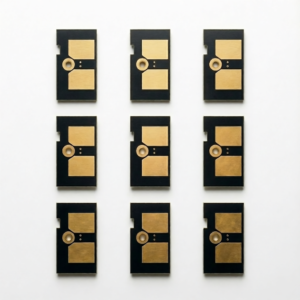
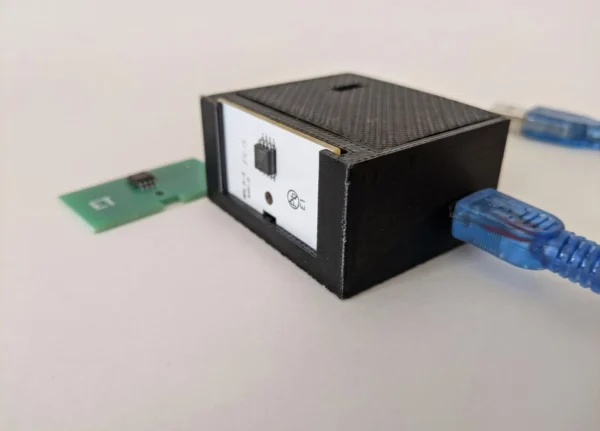
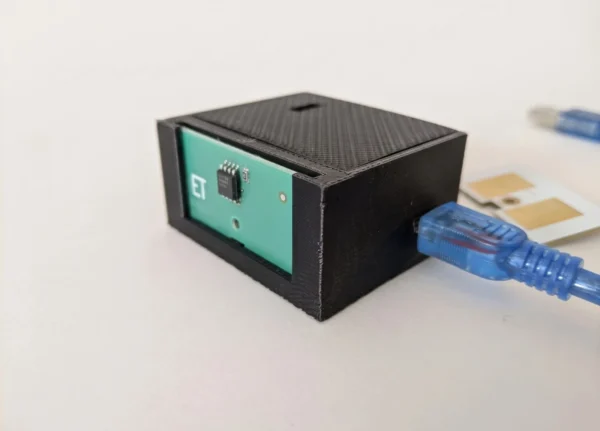
This kit resets the material counter on the EEPROM chip of a Stratasys Dimension or Fortus cartridge, so you can refill the cartridges you already own with high-quality third-party filament. Plug the reader into a Windows PC, read the chip, set the remaining material back to full and write it back, in about two minutes per chip.
It works with stock printers. Nothing on your printer changes: no firmware updates, no wiring and no teardown. The kit only works with the cartridge chip, on your desk.
Want to see what that does to your cost per part? Try our free Fortus print cost calculator.
Compatible Stratasys Printers
Tested printers
- Dimension SST 768 and BST 768
- Dimension SST 1200 and BST 1200
- Dimension Elite and Dimension 1200es
- Dimension SHDM-1000
- Fortus 250mc
- Fortus 360mc
- Fortus 400mc
- Fortus 900mc (Classic)
Have a Fortus 380mc, 450mc, 900mc Plus or F900? Those Fortus Plus printers use our pre-programmed Fortus Plus EEPROM chips instead. Using a uPrint, uPrint SE or uPrint SE Plus? See the uPrint refiller.
Supported Cartridges & Materials
- Standard ABS: P400, P430, P430XL, ABSplus
- Recycled / support: P400R, P400SR
- Engineering materials: ABS-M30, Nylon 12, polycarbonate (PC)
- High-performance: Ultem™ 1010, Ultem™ 9085
- Support materials: SR-20, SR-30, SR-35, SR-100, SR-110
The re:Filament software recognizes more than 130 Stratasys materials. Compare their strength, heat resistance and printer compatibility in our Stratasys material comparison chart.
How the EEPROM Refiller Works
- Seat your cartridge’s EEPROM chip in the refiller and plug it into your PC.
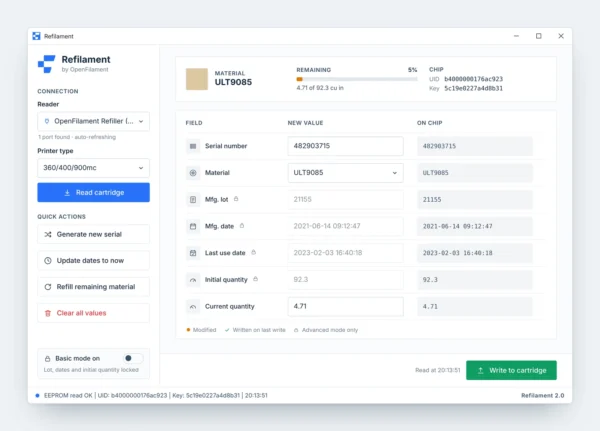
- Open re:Filament, choose your printer type and click Read cartridge.
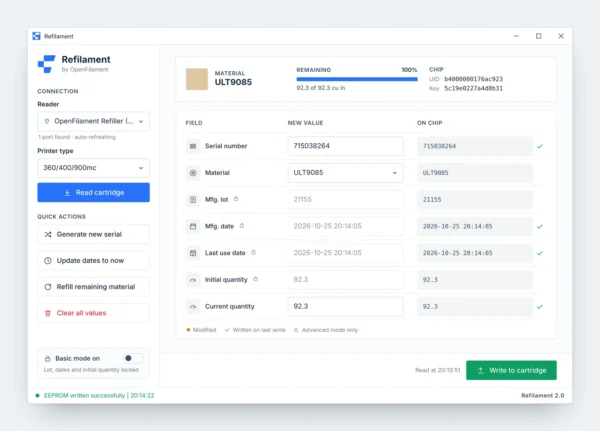
- Click Refill remaining material to set the counter back to full.
- Click Write to cartridge, put the chip back in your refilled cartridge and print.
The full walkthrough, with a screenshot for every step, is in our Stratasys cartridge refill guide.
What You Need
- A Windows 10 or 11 PC with the CH340 USB driver installed
- The EEPROM chips from your own Stratasys cartridges (not included)
- Filament to refill your cartridges with
What’s in the Box
- (1) EEPROM reader/writer device
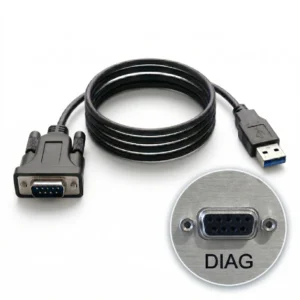
- (1) Interface cable
- (1) re:Filament PC software (digital download)
EEPROM chips are not included.
Shipping
Every unit is assembled and tested to order, so please allow 2–3 business days before it ships. US orders usually arrive 2–5 business days after shipping, and international orders 10–15 business days, depending on customs.
Housing color may vary with material availability.
Frequently Asked Questions
How many times can a Stratasys Dimension or Fortus cartridge chip be refilled?
As many times as you like. The refiller resets the material counter on the same Dimension or Fortus cartridge EEPROM chip every time you refill it, with no limit on reuse.
Can I change the material type on a cartridge chip?
Yes. On Dimension and Fortus Classic cartridges, the re:Filament software can reprogram the material on a chip, for example from ABS-M30 to ASA, PC, Ultem or Nylon 12, and can turn a model chip into a support chip and back. Don’t have access to a material license you need? Check out our Fortus Unlocking Service.
Do I have to modify my printer?
No. The kit works with stock printers. It reads and writes the EEPROM chip from your cartridge on a Windows PC, and nothing on the printer itself is changed.
Does this refiller work with uPrint or Fortus Plus printers?
No. uPrint, uPrint SE and uPrint SE Plus printers use the OpenFilament uPrint refiller, and the Fortus 380mc, 450mc, 900mc Plus and F900 use pre-programmed high-capacity Fortus Plus EEPROM chips.
What do I need to use the refiller?
A Windows 10 or 11 PC with the CH340 USB driver installed, the re:Filament software (a single file with no installer, included as a download), and the EEPROM chips from your own Stratasys cartridges. Chips are not included.
Still have a question? Email [email protected]. You’ll get an answer from an engineer who runs these printers every day.