


Refill Stratasys uPrint & uPrint SE Plus Cartridges with the Filament You Choose
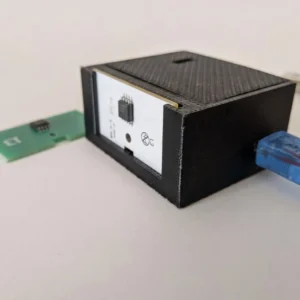
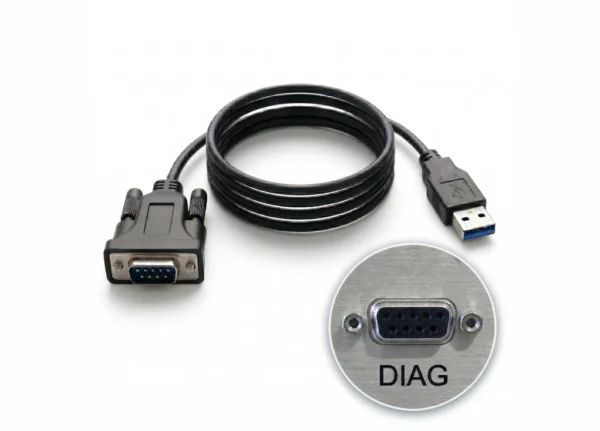
This cable and software kit resets the material counter on your Stratasys uPrint cartridges, so you can refill the cartridges you already own with high-quality third-party ABS filament. It works through the DIAG port on the back of your printer, so the cartridge never leaves its bay.
Your printer stays exactly as it is. There are no hardware changes and no firmware updates: you plug a cable into the printer’s own service port and run the software on your PC.
Compatible uPrint Printers & Cartridges
Tested printers
- uPrint and uPrint Plus
- uPrint SE and uPrint SE Plus
Supported cartridges
- Standard ABS model material: P400, P430, P430XL, ABSplus
- Recycled / support material: P400R, P400SR
Bay 0 and Bay 1, model and support: the software refills the cartridge in any of the four material bays.
Running a Dimension or Fortus instead? See the Dimension & Fortus EEPROM refiller, or the Fortus Plus EEPROM chips for the 380mc, 450mc and F900.
Important: Refill Before Your Cartridge Reaches 0%
A uPrint cartridge chip can be reset only while it still shows some material. Once it reaches 0%, the chip locks itself permanently and can’t be reset by any tool. Refill your cartridges while they still show 5–10% remaining and you can reuse them indefinitely.
How the uPrint Refill Cable Works
- With the printer on, connect the cable to the uPrint’s DIAG port and to your PC.
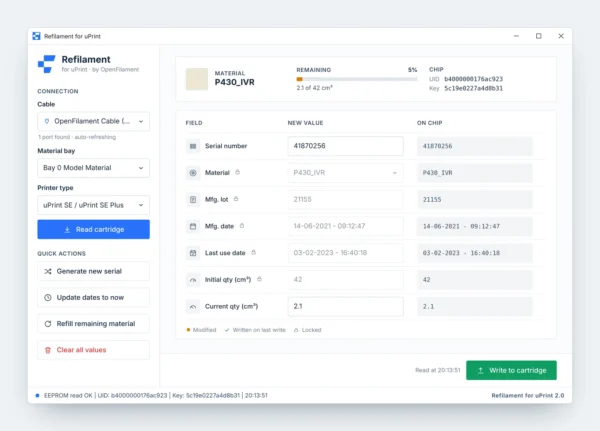
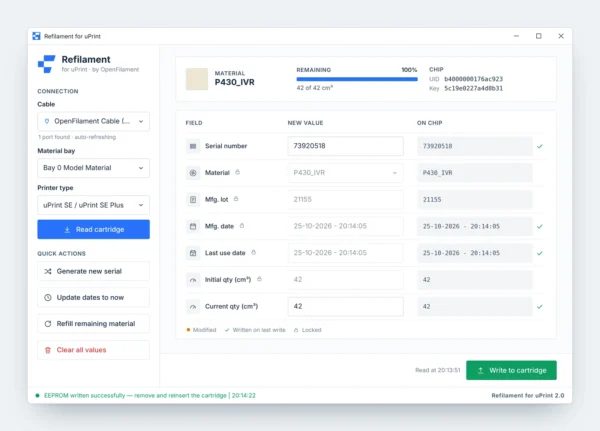
- In re:Filament for uPrint, choose the cable, the material bay and your uPrint model, then click Read cartridge.
- Check that the current quantity is set back to full, then click Write to cartridge.
- Remove the cartridge from its bay and insert it again so the printer reads the new values, then print.
The full walkthrough, with a screenshot for every step, is in our uPrint cartridge refill guide.
What You Need
- A Windows 10 or 11 PC with the Prolific (PL2303) USB-serial driver installed
- Your uPrint, switched on, with the cartridge loaded
- ABS filament to refill your cartridges with
What’s in the Box
- (1) uPrint EEPROM interface cable
- (1) re:Filament for uPrint PC software (digital download)
- Setup and usage tutorial, built into the software
Frequently Asked Questions
Do I need to take the cartridge out of my uPrint to refill it?
No. The cable connects your PC to the DIAG port on the back of the uPrint, and the software reads and writes the cartridge chip through the printer while the cartridge stays in its bay. After the write, remove the cartridge and insert it again so the printer reads the new values.
Why do I have to refill a uPrint cartridge before it reaches 0%?
When a uPrint cartridge chip reaches 0%, it permanently locks itself against writing, and no tool can reset it after that. Refill uPrint cartridges before they drop below 5–10% and they can be reused indefinitely.
Which uPrint printers does the refill cable work with?
The uPrint, uPrint Plus, uPrint SE and uPrint SE Plus. Choose your model in the software, because the cartridge data is protected with a key that depends on the printer model.
What do I need to use the uPrint refill cable?
A Windows 10 or 11 PC with the Prolific (PL2303) USB-serial driver installed, your uPrint switched on with the cartridge loaded, and the re:Filament for uPrint software, which is included and runs as a single file with no installer.
Does this cable work with Dimension or Fortus printers?
No. Dimension and Fortus Classic printers use the Dimension and Fortus EEPROM refiller, and Fortus Plus printers use pre-programmed high-capacity Fortus Plus EEPROM chips.
Still have a question? Email [email protected]. You’ll get an answer from an engineer who runs these printers every day.